

You bought your first fountain pen, loaded it with a beautiful ink, settled in at your desk — and the very first word looked like a fuzzy spiderweb on the page. Lines spreading in every direction, ink soaking straight through to the back. The pen gets blamed, but more often than not, the real culprit is the paper.
Regular copy paper, spiral notebooks, and even some “premium” notepads simply weren’t designed with fountain pen ink in mind. Understanding why this happens — and what to do about it — is one of the most practical things any fountain pen beginner can learn. Once you make the switch to fountain pen-friendly paper, your writing experience transforms completely.
What Is Feathering — And Why Does It Happen?
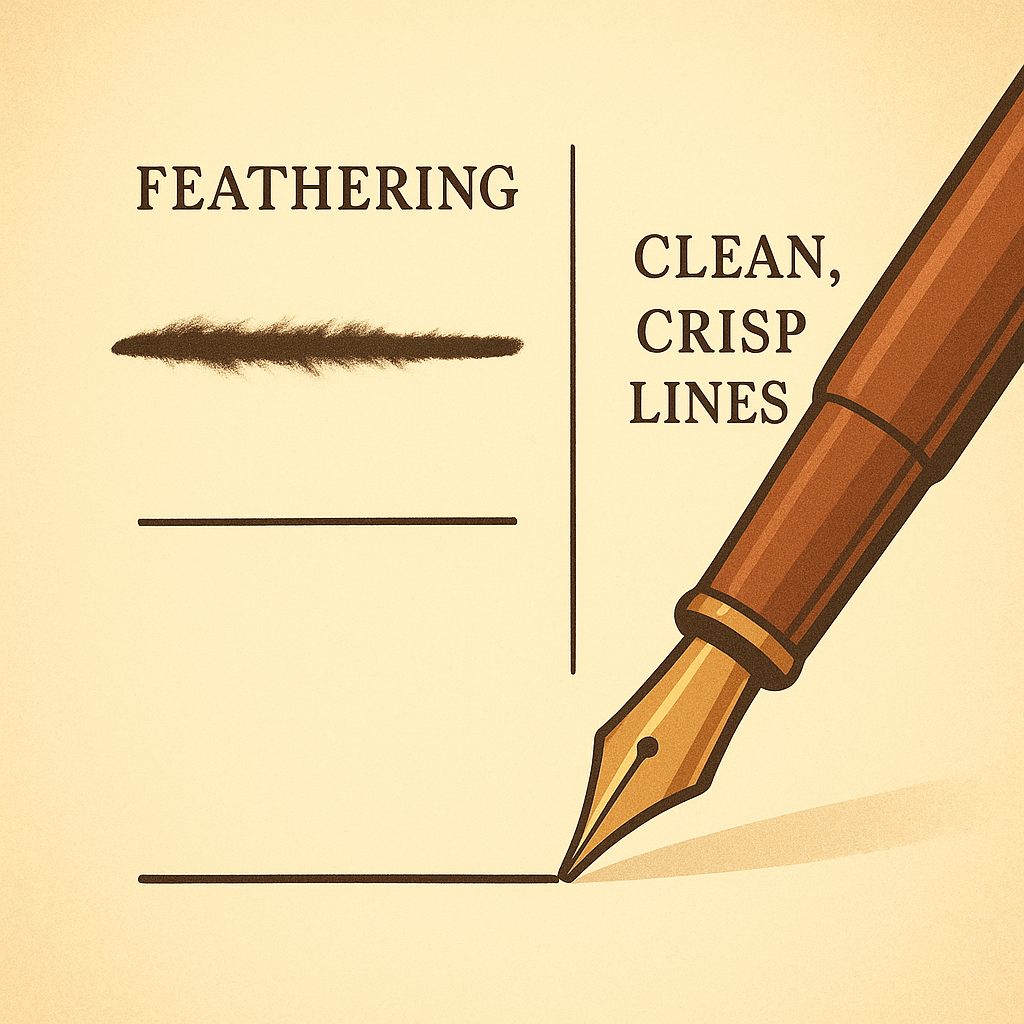
Feathering is what happens when fountain pen ink spreads sideways along the fibers of the paper, creating a fuzzy, blurry line instead of a crisp edge. Imagine drawing a fine line and watching it bloom outward like frost on glass — that’s feathering.
The Science Behind It
Fountain pen ink is water-based, much thinner and more fluid than ballpoint or gel pen ink. When it touches paper with loosely woven, highly absorbent fibers — like standard 20lb copy paper — the ink wicks outward through capillary action. The fibers essentially pull the liquid in every direction simultaneously, spreading the line before it has a chance to dry in place.
The Difference Between Feathering and Bleeding
These two terms often get confused, but they describe distinct problems. Feathering is lateral spread — the line gets wider and fuzzy on the same side you’re writing. Bleeding (or bleed-through) is vertical — the ink soaks all the way through the paper and shows up on the back. You can have one, both, or neither, depending on the paper and ink combination.
- Feathering: Ink spreads sideways along fibers — line looks fuzzy on writing side
- Bleeding: Ink soaks through to the reverse side — page becomes unusable on both sides
- Ghosting: A milder version of bleeding — writing is faintly visible from the back without fully soaking through
- Showthrough: Writing is visible in transmitted light but barely noticeable under normal conditions
Why Standard Paper Is the Wrong Tool
Most office and school paper is engineered for ballpoint pens, laser printers, and inkjet machines — not for the slow-flowing, water-based ink of a fountain pen. The paper’s absorbency is actually a feature for these purposes: printers need ink to bond quickly, and ballpoints deposit a thicker, oil-based ink that doesn’t spread. Fountain pen ink plays by entirely different rules.
The Role of Paper Sizing
“Sizing” refers to a chemical treatment applied to paper during manufacturing that reduces absorbency and helps ink sit on the surface. Without adequate sizing, ink sinks into the fibers immediately. High-quality fountain pen papers are sized specifically to allow ink to rest on top long enough to display color, shading, and sheen before slowly drying into a crisp, clean line.
Fiber Structure Matters
Cheaply made paper has coarser, more loosely packed fibers — more pathways for ink to travel sideways. Quality papers designed for fountain pens have tighter fiber structures and smoother surfaces. Tomoe River paper, for example, is only 52 GSM (extremely thin) yet shows virtually no feathering because of its dense fiber construction and specialized surface coating.
How Paper Weight (GSM) Affects Performance
GSM — grams per square meter — is the standard measure of paper weight. Heavier paper is thicker and generally more resistant to bleed-through, but it doesn’t automatically prevent feathering. Both qualities depend on paper construction, not just weight alone.

A useful general guide for fountain pen users:
- 52–70 GSM: Specialty papers only (Tomoe River) — extremely thin but fountain pen optimized
- 80–90 GSM: Good general range — Rhodia and Clairefontaine fall here, excellent performance
- 90–120 GSM: Premium performance — minimal ghosting, excellent ink expression
- Above 120 GSM: Luxury territory — used in art journals, letter-writing stationery
In contrast, standard printer paper at 75–80 GSM performs poorly despite being technically within that range, because it lacks proper sizing and surface treatment.
Papers to Avoid and Why
Knowing which papers to skip will save you a lot of frustration, especially as a beginner. The following common options are problematic for fountain pens:
Rhodia pads (80 GSM)
Smooth, sized surface with virtually zero feathering or bleeding. The gold standard for daily use.
Clairefontaine paper (90 GSM)
French-made, ultra-smooth surface. Ink sits beautifully on top, dries crisply, minimal ghosting.
Tomoe River (52 GSM)
Thin but exceptional. Showcases ink shading and sheen better than any other paper available.
Standard copy paper (75–80 GSM)
High absorbency, loose fibers, no sizing. Feathering and bleeding almost guaranteed with wet inks.
Most spiral-bound notebooks
Budget paper with poor ink handling — perforated edges make the problem worse by exposing more fibers.
Moleskine (original line)
Despite their reputation, standard Moleskine notebooks show significant feathering and bleed-through with most fountain pen inks.
Quick Fixes When You Must Use Regular Paper
Sometimes you’re stuck — you’re at the office, in a meeting, or your fountain pen-friendly notebook is at home. Here are practical adjustments that reduce problems when you have no choice:
- Use a drier ink: Some inks flow more generously than others. A “dry” ink like Pilot Iroshizuku or Diamine Ancient Copper deposits less liquid and feathers less on absorbent paper.
- Switch to Fine nib: Broad and wet nibs deposit significantly more ink — a Fine nib writes a thinner, drier line that behaves better on cheap paper.
- Write slowly: Slowing down slightly gives ink less time to spread before you lift the pen.
- Keep a Rhodia pad handy: A single Rhodia pad as a writing surface under your regular notebook can serve as a reminder to eventually make the full switch.
Frequently Asked Questions
Is feathering always caused by the paper?
Mostly, yes. Paper absorbency is the primary cause. However, very wet inks, broad nibs, and high-flow pens can trigger feathering even on decent paper. The best fix is good paper first, then adjust ink and nib if needed.
Can I use printer paper in a pinch?
Yes, for practice or temporary use — but expect fuzzy lines and some bleed-through. 32lb (120 GSM) printer paper performs noticeably better than standard 20lb (75 GSM) copy paper if you have a choice.
Why does Tomoe River paper feel so thin but work so well?
Tomoe River uses a unique fiber structure and special surface coating that keeps ink from sinking in despite its low weight. GSM measures weight, not quality — thin, well-engineered paper can vastly outperform thick, poorly made paper.
Does the ink color affect feathering?
Indirectly, yes. Darker, more saturated inks tend to be wetter, which can increase feathering on absorbent paper. Lighter, drier inks like pastels and muted tones typically behave better on marginal paper.
Making the Switch: Your First Fountain Pen-Friendly Paper
You don’t need to replace every notebook you own overnight. The simplest start: pick up one Rhodia pad or a Clairefontaine A5 notebook. Write with your fountain pen on it once, and the difference will be immediately obvious. Crisp, clean lines. No spreading. The ink sitting beautifully on top of the page, showing off its color and character.
That single experience tends to be the turning point for most fountain pen users. Once you know what good paper feels like under a fountain pen nib, going back to regular copy paper feels like driving on a flat tire. The paper isn’t just a surface — it’s half the equation of what makes fountain pen writing so pleasurable.
Start with Rhodia or Clairefontaine for everyday writing, and if you want to explore what your favorite inks can truly look like, pick up a pack of Tomoe River sheets. You’ll wonder how you ever settled for feathering before.